
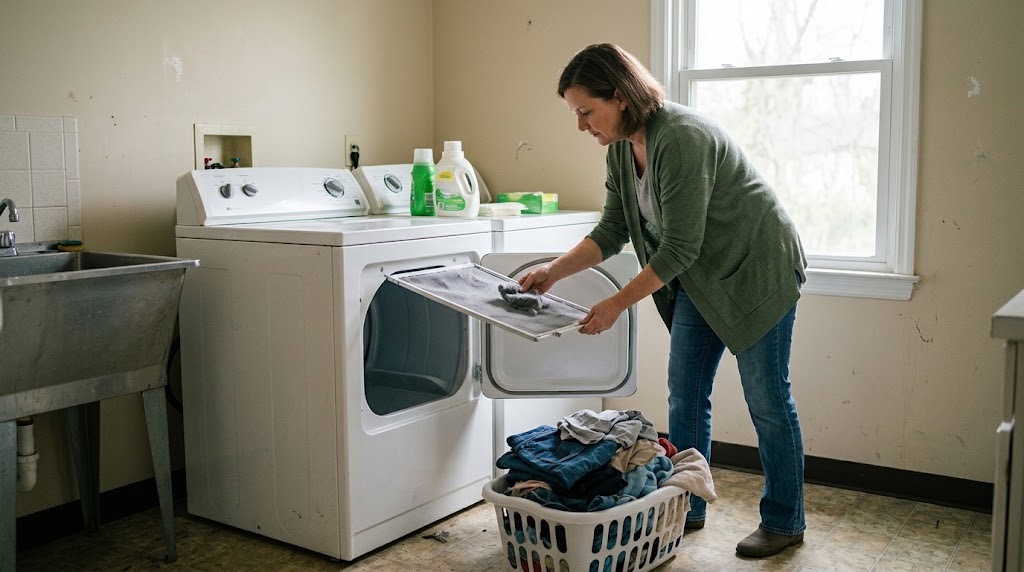
If your dryer will not start, runs without heating, or suddenly takes much longer to dry a normal load, start with the door, controls, lint screen, load size, and airflow. Those checks can resolve or narrow down many common dryer problems without moving the appliance or opening anything.
This guide covers the safe checks PMI James River residents can make before submitting a maintenance request. If the problem continues, returns, or you cannot proceed safely, report it through the resident portal. For other household issues, use our resident troubleshooting library or the broader Resident Maintenance page.
If the Dryer Will Not Start
Start with the controls and door rather than trying to access internal parts.
- Make sure the dryer door closes completely and latches normally.
- Check for Control Lock, Delay Start, Pause, or another selected setting.
- Confirm that a drying cycle is selected rather than Air Only, Fluff, or another no-heat setting.
- Look for an error code or unusual control-panel message and take a photo.
- Note whether the control panel lights normally or the dryer appears completely without power.
Do not remove panels, open electrical components, or attempt internal electrical troubleshooting. If you notice smoke, sparking, a burning smell, a scorched plug or cord, or unusual heat at the outlet or cord, stop using the dryer.
If the Dryer Runs but Does Not Heat
First confirm that the selected cycle is supposed to produce heat.
- Check that Air Only, Air Dry, Fluff, or another no-heat option is not selected.
- Try a normal heated cycle with a reasonable load.
- Note whether the drum turns normally but the clothes remain cold or damp.
- Take a photo of any error code or control-panel message.
If the dryer uses gas and you smell gas at any point, stop troubleshooting. Leave the area and follow our gas smell safety guidance.
Do not inspect burners, gas valves, igniters, heating elements, wiring, or internal dryer components.
If Clothes Are Taking Too Long to Dry
Restricted airflow is one of the first things to check when a dryer still runs but drying time becomes unusually long.
- Remove and clean the lint screen.
- Make sure the screen is reinstalled normally before using the dryer.
- Reduce an unusually large or tightly packed load.
- Confirm that the selected cycle and heat setting are appropriate for the load.
- If the flexible transition duct behind the dryer is already plainly visible without moving the appliance, note whether it appears obviously crushed, sharply kinked, or disconnected.
Whirlpool demonstrates the basic maintenance step in its dryer lint-screen cleaning guidance.
The U.S. Consumer Product Safety Commission notes that lint buildup can restrict dryer airflow and contribute to excessive heat, which is why the lint screen should be kept clean and the exhaust path kept functional.
Do not pull the dryer away from the wall, disconnect the exhaust duct, or attempt to clean concealed ductwork.
Check the Exterior Vent Only if It Is Safely Accessible
If the dryer's exterior exhaust hood can be observed safely from ground level, you may look at it while the dryer is running. The vent flap should normally be able to open and exhaust air.
If the flap does not move, airflow seems unusually weak, or lint is visibly accumulating around the opening, include that observation in your maintenance request.
Do not use a ladder, climb onto a roof, enter an attic or crawlspace, remove the exterior vent cover, or attempt to clean concealed dryer venting.
If the Dryer Is Too Hot, Smells Burned, or Makes an Unusual Noise
Stop using the dryer if you notice smoke, a burning smell, scorching, sparking, unusual heat at the plug or outlet, or a gas odor.
For a new rattling, scraping, thumping, or other unusual mechanical noise without a safety warning, stop the cycle and check only for an obvious item in the drum or clothing hardware such as a zipper or buckle striking the drum. Do not open panels or reach into internal components.
If the noise continues after the obvious load check, submit a maintenance request.
What to Include in a Dryer Maintenance Request
If these checks do not resolve the issue, the problem returns, or you cannot safely complete a step, submit a request through the PMI James River resident portal.
Include:
- whether the dryer will not start, will not heat, or takes unusually long to dry;
- whether the drum turns normally;
- the selected cycle and heat setting;
- a photo of any error code or control-panel message;
- whether the lint screen was cleaned;
- whether reducing the load changed the drying time;
- whether an accessible transition duct appears crushed or disconnected;
- whether a safely visible ground-level exterior vent appears to have airflow;
- any unusual sound or smell; and
- when the problem began and whether it happens every cycle.
Those details help us understand whether the problem is with the dryer, its airflow, or another system and route the request appropriately without asking you to repeat troubleshooting you have already completed.
Published: September 2, 2026