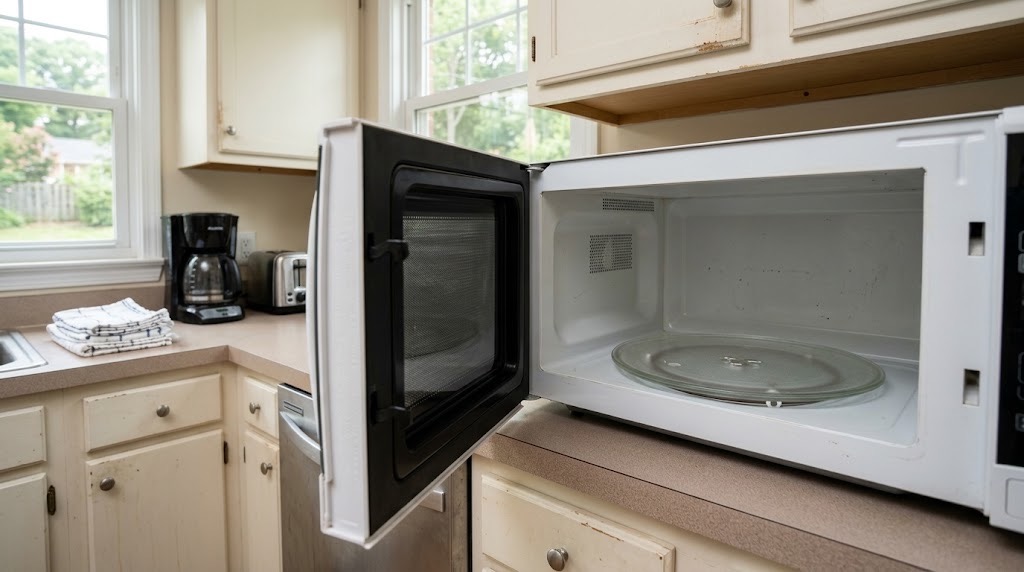
If your microwave will not start, runs but does not heat, or the turntable or controls are not working normally, start with the door, normal controls, turntable, and accessible power connection. Microwave troubleshooting should stay simple because internal microwave components can remain hazardous even when the appliance is unplugged.
This guide covers the safe checks PMI James River residents can make before submitting a maintenance request. If the problem continues, returns, or you cannot proceed safely, report it through the resident portal. For other household issues, use our resident troubleshooting library or the broader Resident Maintenance page.
If the Microwave Will Not Start
Start with the normal controls and door rather than trying to access anything inside the appliance.
- Open and firmly close the microwave door.
- Make sure nothing is caught between the door and the microwave frame.
- Check for Control Lock, Child Lock, Demo mode, or another normal user setting.
- Confirm that a cooking time or normal microwave function is selected.
- Look for an error code or unusual display message and take a photo.
If the microwave is a countertop model with a plug that is directly accessible in a dry area, confirm that the plug is fully seated. If the outlet has a normal accessible GFCI reset and there is no water, damage, heat, or other electrical concern, you may reset it once.
Do not remove the microwave from cabinetry, open its case, access wiring, or attempt internal electrical troubleshooting.
If the Microwave Runs but Does Not Heat
If the light, fan, or turntable operates but food does not heat normally, note exactly what the microwave does and stop there.
- Confirm that Demo mode or another non-heating display mode is not selected.
- Try one ordinary cooking cycle using the normal controls.
- Note whether the turntable moves and whether the fan and interior light operate.
- Take a photo of any error code or control-panel message.
Do not continue running repeated test cycles when the microwave clearly operates without heating. Internal diagnosis or repair is not a resident troubleshooting task.
If the Turntable Is Not Moving Normally
Turntable problems can sometimes be checked without accessing any internal components.
- Stop the microwave and allow the contents to cool if necessary.
- Remove the glass tray and confirm that it is sitting normally on the roller ring or support.
- Make sure the tray is not being blocked by an oversized dish or container.
- Reinstall the tray and roller ring in their normal positions.
Do not remove screws, covers, the drive mechanism, or other internal components. If the tray is correctly installed but still will not turn, report the problem.
If the Microwave Sparks
Stop the microwave if you see repeated sparking or arcing.
After the microwave has stopped and it is safe to open the door, check only for an obvious metal item such as foil, a twist tie, metallic cookware, or another unsuitable object inside. Remove the item only if it is plainly accessible and cool enough to handle safely.
If sparking continues after an obvious metal object is removed, or you see burning, charring, damage inside the microwave, or damage to the door or window, stop using the appliance and submit a maintenance request.
Do not remove internal covers or attempt to inspect the waveguide, electrical components, or microwave-generating equipment.
Check the Door Before Using the Microwave Again
The microwave door should close fully and latch normally.
Stop using the microwave and report it if you see:
- a door that will not close or latch normally;
- a visibly bent, cracked, or significantly damaged door;
- damage around the door frame or viewing window;
- a latch that appears broken or loose; or
- the microwave operating when the door does not appear properly closed.
The U.S. Food and Drug Administration advises against using a microwave oven when the door does not close firmly or when the door, hinges, latches, or seals are damaged. See the FDA's microwave oven safety guidance.
When to Stop Using the Microwave
Stop using the appliance if you notice:
- smoke or a burning smell;
- repeated sparking after an obvious metal item has been removed;
- a damaged door, latch, hinge, or viewing window;
- a scorched or damaged plug or cord;
- unusual heat at the plug or outlet; or
- another electrical warning sign.
Do not open the microwave cabinet or attempt an internal repair. Microwave ovens contain high-voltage components that are not appropriate for resident troubleshooting.
What to Include in a Microwave Maintenance Request
If the safe checks above do not resolve the problem, the issue returns, or you cannot proceed safely, submit a request through the PMI James River resident portal.
Include:
- whether the microwave will not start, runs without heating, or has another problem;
- whether the display and controls have power;
- a photo of any error code or control-panel message;
- whether the door closes and latches normally;
- whether the turntable, fan, and interior light operate;
- whether the glass tray and roller ring are seated normally;
- whether you saw sparking, smoke, or a burning smell;
- photos of any visible door, latch, window, cord, or interior damage; and
- when the problem began and whether it happens every time.
Those details help us understand the symptom and route the request appropriately without asking you to repeat troubleshooting you have already completed.
Published: September 2, 2026