
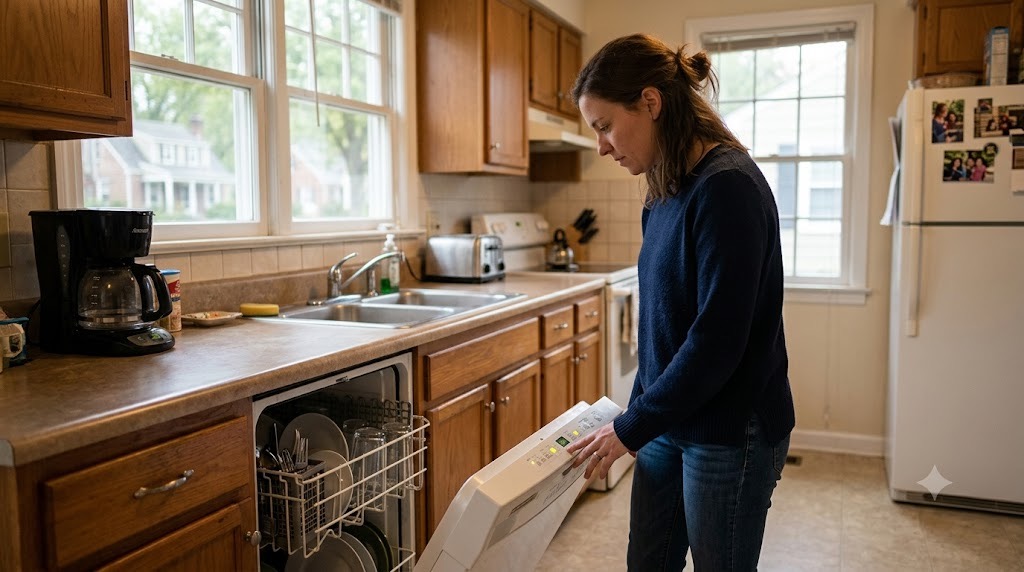
If your dishwasher is not draining, cleaning dishes, filling with water, starting, or finishing a cycle, start with the simple controls and accessible parts before submitting a maintenance request. Many dishwasher problems can be narrowed down without moving the appliance or opening anything that requires tools.
This guide covers the safe checks PMI James River residents can make themselves. If the problem continues after these steps, or you cannot proceed safely, submit a maintenance request through the resident portal with the details described below. For other household problems, use our resident troubleshooting library or the broader Resident Maintenance page.
Start With These Dishwasher Checks
Before focusing on a particular symptom, check a few basics:
- Make sure the dishwasher door closes completely and latches.
- Check the control panel for an error code, blinking light, Delay Start, Control Lock, or another selected setting.
- Make sure tall dishes, utensils, or cookware are not preventing the door from closing or blocking a spray arm.
- If the dishwasher is off, gently confirm that an accessible spray arm can rotate freely.
- Use automatic dishwasher detergent. Do not use ordinary hand dishwashing liquid.
If you see smoke, sparking, a burning smell, unusual heat at an electrical connection, or another electrical warning sign, stop using the dishwasher rather than continuing to troubleshoot it.
If the Dishwasher Is Not Draining
A small amount of water in the sump area can be normal on some models. A noticeable pool of standing water after the cycle, a drain error, or water that remains after a Cancel/Drain cycle is worth troubleshooting.
- Turn the dishwasher off and remove the lower rack.
- Remove any loose food or debris that is plainly accessible.
- If your dishwasher has an ordinary lift-out or twist-out user-serviceable filter, remove it, rinse it under running water, and reinstall it securely. Whirlpool provides manufacturer guidance for cleaning removable dishwasher filters. Filter designs vary, so do not remove screws or force a part that does not come out normally.
- Run the dishwasher's Cancel/Drain function if it has one.
- Check whether the connected kitchen sink drains normally.
Do not pour chemical drain cleaner into the dishwasher.
If the sink drains normally but the dishwasher still holds water, the problem remains in the dishwasher troubleshooting path. If the garbage disposal is also not operating normally, use our garbage disposal troubleshooting guide. If the kitchen sink independently backs up even when the dishwasher is not draining, that points toward a shared drain or plumbing problem instead.
If the Dishwasher Runs but Does Not Clean Well
Poor cleaning does not always mean the dishwasher has failed. Loading, detergent, a dirty filter, or a blocked spray arm can interfere with normal operation.
- Make sure dishes are not packed tightly enough to block the spray pattern.
- Check that tall utensils or cookware are not stopping a spray arm from rotating.
- Clean a normal removable filter if your model has one.
- Use detergent intended for automatic dishwashers.
- Check whether detergent is still sitting in the dispenser after the cycle.
If the detergent door repeatedly fails to open, a spray arm does not move freely after obvious loading obstructions are removed, dishes remain consistently dirty, or the dishwasher appears to run without filling or spraying normally, report the problem.
If the Dishwasher Will Not Start, Fill, or Finish a Cycle
Start with the controls and door rather than trying to access the appliance's internal components.
- Open and firmly close the door to make sure it latches normally.
- Check for Control Lock, Delay Start, or another normal user setting that could prevent an immediate start.
- Look for blinking lights or an error code and take a photo before clearing anything.
- If the cycle stopped, note approximately when it stopped and whether water is currently inside the dishwasher.
- If the dishwasher appears completely dead, note whether other nearby kitchen electrical devices still have power.
Do not remove the dishwasher from the cabinet, open electrical or service panels, disconnect hoses, remove screwed-in components, or attempt internal electrical troubleshooting.
If the Dishwasher Is Leaking
Stop the dishwasher if water is escaping from it. Wipe up or contain accessible water where you can do so safely and keep water away from electrical equipment.
Water coming from inside the dishwasher, around the door, or during a particular part of the cycle belongs with the dishwasher problem. Water escaping from a dishwasher supply line, shutoff, water connection, or other plumbing connection follows our water leak and shutoff guidance.
Do not pull the dishwasher out or disconnect its water or drain hoses to search for the source.
What to Include in a Dishwasher Maintenance Request
If these checks do not resolve the problem, the issue returns, or you cannot safely complete a step, submit a request through the PMI James River resident portal.
Include:
- whether the dishwasher will not start, fill, drain, clean, latch, or finish a cycle;
- a photo of any standing water;
- a photo of the control panel, blinking lights, or error code;
- whether the kitchen sink and garbage disposal drain normally;
- whether you cleaned an accessible removable filter and what happened afterward;
- whether Cancel/Drain changed the water level; and
- when the problem began and whether it happens every cycle.
Those details help us route the request correctly and avoid repeating troubleshooting you have already completed.
Published: September 2, 2026