
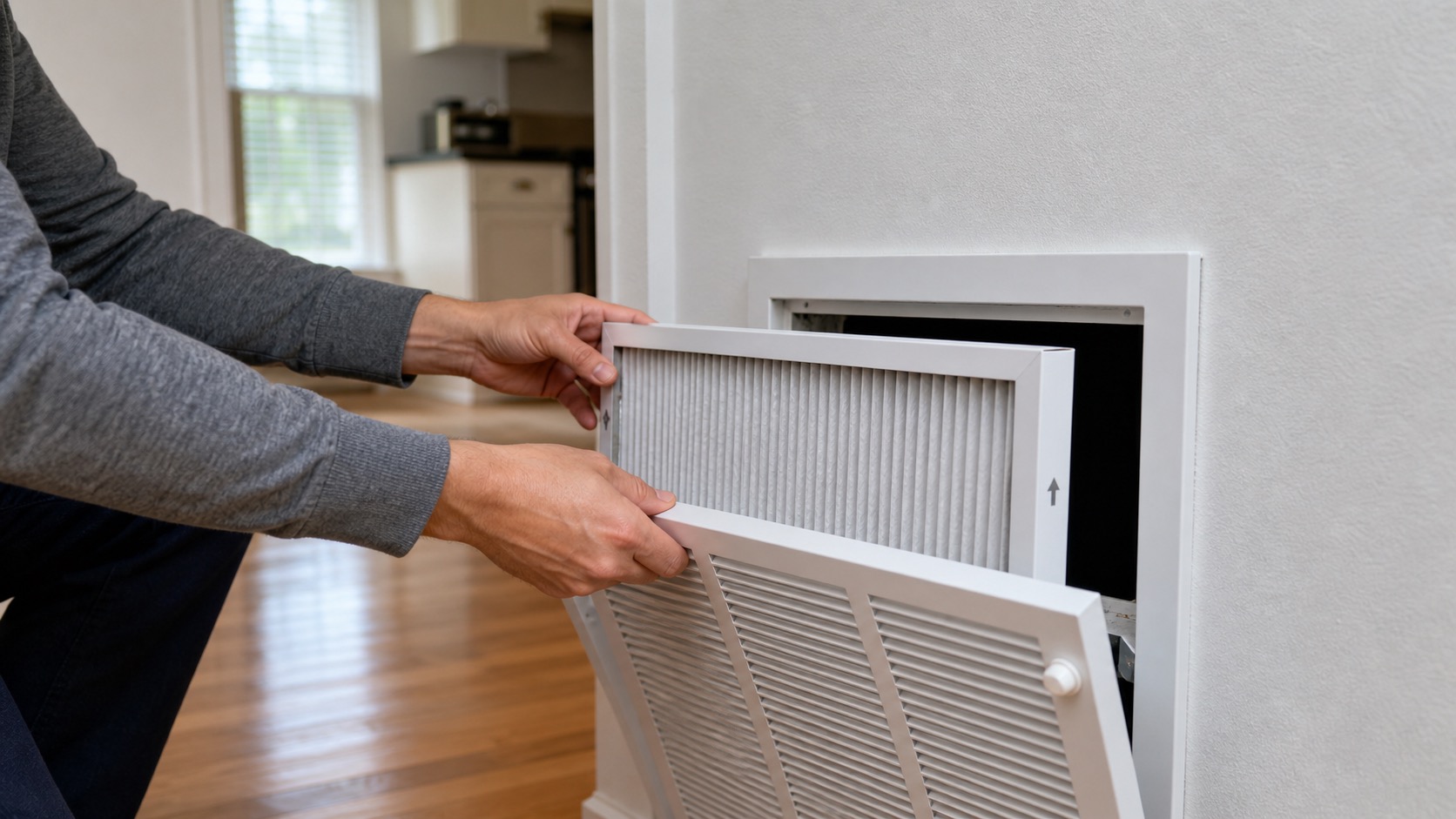
If the HVAC system is running but airflow feels weak, one room gets very little air, or the heating and cooling seem uneven, start with the parts of the airflow path that are meant to be accessible: the supply vents, return grilles, and ordinary resident-serviceable filter.
This guide is for an active airflow problem. Routine filter delivery, replacement schedules, and seasonal HVAC care belong in PMI James River's broader maintenance resources rather than being duplicated here.
Key Takeaways
- First decide whether weak airflow affects the whole home or only one room or vent.
- Keep supply registers open and return grilles clear of furniture, boxes, rugs, and other belongings.
- Check a readily accessible HVAC filter for heavy dirt, incorrect fit, or backward installation.
- Do not climb to unsafe heights, enter attics or crawlspaces, open HVAC cabinets or ductwork, or adjust hidden balancing equipment.
In This Guide
- Weak airflow throughout the home
- One room or vent has little airflow
- Check the HVAC filter
- Check supply vents and returns
- When it is more than a filter problem
- What to send us if the problem continues
Weak Airflow Throughout the Home
Start at the thermostat. Take a photo with the numbers visible and confirm the system is in the intended Heat or Cool mode. Set the fan to Auto for normal troubleshooting.
Then check:
- whether the blower appears to be running;
- whether the accessible HVAC filter is heavily dirty;
- whether the filter is the correct size and sitting normally in its slot or return grille;
- whether supply registers are open; and
- whether return grilles are blocked by furniture, boxes, rugs, or other belongings.
ENERGY STAR notes that a dirty HVAC filter makes the system work harder to distribute air and can contribute to equipment problems. That makes the filter an important first check, but not a diagnosis of every airflow problem.
If the whole-home airflow remains weak with an ordinary clean filter and clear vents and returns, submit a maintenance request.
One Room or Vent Has Little Airflow
If the rest of the home has normal airflow, check only the readily accessible conditions around the affected room:
- Is the supply register open?
- Is it covered by furniture, curtains, a rug, or another object?
- Is the return path in the room or nearby area blocked?
- Has the symptom appeared suddenly, or has the room always heated or cooled differently from the rest of the home?
Do not remove a register from the duct, reach deep into ductwork, use a ladder to investigate a high vent, or search for internal duct dampers.
Some room-to-room comfort differences can reflect the home's design, layout, sun exposure, duct configuration, or how the HVAC system was built. A new or substantial loss of airflow is different and should be reported if the accessible checks do not explain it.
Check the HVAC Filter
Only service a filter that is readily accessible and intended for normal resident replacement. If reaching it requires an unsafe ladder, entering an attic, crawlspace, shared mechanical area, or opening HVAC equipment beyond an ordinary filter access, stop and report the access issue.
Check the size and fit
Use the same filter size specified for the property or shown on the existing properly fitted filter. The replacement should sit normally in the intended filter location without being forced, folded, or leaving an obvious gap because it is the wrong size.
Check the airflow direction
Disposable pleated filters normally have an airflow arrow on the frame. The arrow points in the direction the air travels toward the HVAC equipment.
For a filter located at a wall or ceiling return grille, that generally means the arrow points away from the room and into the return duct. For a filter located near the air handler or furnace, follow the existing equipment airflow path and the property's supplied instructions.
If you are uncertain about the intended direction or the current filter appears to have been installed incorrectly, photograph the filter and its location rather than guessing.
Check whether it is heavily dirty
If a normal resident-serviceable filter is visibly loaded with dust and a correct replacement is available, replace it. ENERGY STAR identifies regular filter inspection and replacement as an important part of maintaining HVAC airflow and performance.
Do not substitute a different filter type or unusually restrictive filter simply because it appears to offer more filtration. Use the correct filter supplied or specified for the property.
Check Supply Vents and Return Grilles
Supply vents deliver conditioned air into rooms. Return grilles pull room air back toward the HVAC equipment. Both need an open airflow path.
For ordinary troubleshooting:
- open supplied registers that were accidentally closed;
- move furniture, rugs, storage, or other belongings that directly block a vent or return;
- remove lightweight surface dust from an accessible grille when needed; and
- leave internal ductwork, dampers, blower equipment, and concealed components alone.
Closing multiple vents in an attempt to force more air into another room is not a good general troubleshooting method. Keep the home's ordinary registers open unless the property has specific operating instructions stating otherwise.
When It Is More Than a Filter Problem
Submit a maintenance request when:
- multiple rooms have weak airflow even with an appropriate clean filter and clear vents;
- the blower sounds abnormal or does not appear to operate normally;
- one room suddenly loses most of its airflow and the accessible register is open;
- the system repeatedly freezes or develops visible ice;
- airflow improves briefly and then deteriorates again; or
- you cannot safely access the filter or other normal resident-serviceable component.
If the main symptom is that the AC runs but the home stays warm, use our AC troubleshooting guide. If the home is not heating, use the heating guide.
What to Send Us if the Problem Continues
If the airflow problem remains, submit a maintenance request through Rentvine. Include:
- a thermostat photo with the numbers visible;
- whether the problem affects the whole home or particular rooms;
- which vents have weak or no airflow;
- a photo of the accessible filter and filter location;
- the filter size if visible;
- whether the filter was recently replaced;
- whether supply registers and returns are clear; and
- any unusual noise, ice, water, or other HVAC symptom.
Frequently Asked Questions
Are 95 percent of heating or cooling problems caused by a dirty filter?
No. A dirty filter is an important and common airflow issue, which is why it is worth checking first. ENERGY STAR notes that dirty filters make HVAC systems work harder to distribute air and can contribute to higher costs and equipment problems. That does not mean nearly every HVAC failure is caused by the filter.
If replacing a genuinely dirty accessible filter does not resolve the symptom, report what the system is actually doing.
Which way should the filter arrow point?
The arrow follows the direction of airflow toward the HVAC equipment. At a wall or ceiling return grille, that normally means away from the room and into the return duct. At another filter location, follow the established airflow direction and property instructions. If the location is unclear, send a photo instead of guessing.
Should I install a higher-MERV filter to improve the air?
Do not change the property's filter specification on your own. A filter must be compatible with the HVAC system's airflow needs. Use the correct filter supplied or specified for the property.
How often should I change the filter?
Filter schedules vary with the filter type and property setup. Follow the replacement schedule and filters supplied for your rental. This troubleshooting guide focuses on what to do when there is an active airflow problem rather than replacing the property's routine filter-care instructions.
Continue Through the Heating & Cooling Guides
For an AC system that is not cooling, use the AC troubleshooting guide. For heating problems, use the heating guide. For a thermostat display, setting, or smart-control issue, use the thermostat troubleshooting guide.
You can also return to the PMI James River troubleshooting library or the broader Resident Maintenance hub.
Published: September 2, 2026