
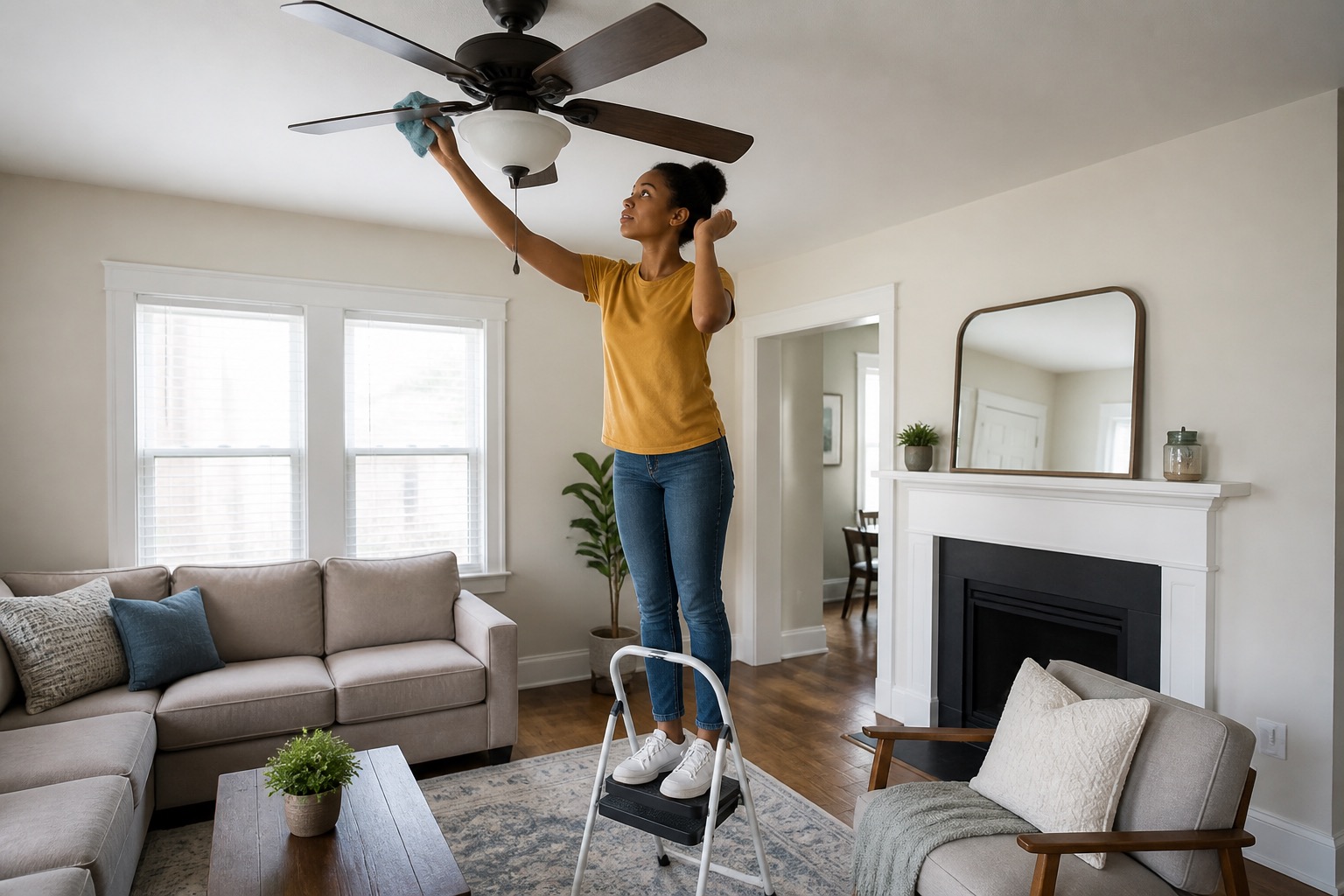
When a light, wall switch, ceiling fan, bathroom exhaust fan, or supplied exterior light stops working, start with the controls, consumables, and user-serviceable parts meant for ordinary household use. For simple tasks, you may use a stable household step stool or stepladder, an ordinary screwdriver on an obvious accessible fastener, or remove a cover that is clearly designed for user service. Stop before anything that could expose wiring, destabilize the fixture, create a fall risk, or cause meaningful property damage.
Stop using the fixture or switch if it is hot, scorched, wet, loose or hanging, producing sustained or repeated sparks, making electrical buzzing or crackling, smelling burned, or giving a shock or tingle. Use the electrical warning signs guide instead.
If One Light Is Not Working
- Confirm the wall switch, pull chain, timer, dimmer, or other normal control is in the expected position.
- Turn the light off and let the bulb cool before handling it.
- If the bulb is safely reachable and intended for ordinary replacement, install the correct bulb type and wattage for the fixture.
- If a simple globe or cover must be removed to reach the bulb, use only its normal user-serviceable clips, thumb screws, or fasteners. Reinstall it securely afterward.
- If the fixture uses a supplied remote, check the remote battery and normal power switch.
Stop if the fixture is too high to reach safely, the cover is stuck or damaged, the fixture itself moves when you touch it, or reaching the bulb would require opening electrical parts. If a correct bulb does not solve the problem, submit a request.
If Several Lights or Controls Stop Working
Several lights going out together may point to a circuit issue rather than several bulbs failing at once. Check whether other outlets or devices in the same area also lost power.
If they did, use the circuit breaker and fuse guide and, where applicable, the outlet and GFCI guide.
Recurring unexplained flickering or dimming across several lights, especially when another appliance starts, is different from one loose or failing bulb. Report that pattern instead of repeatedly changing bulbs or resetting circuits.
If a Ceiling Fan Will Not Start or Wobbles
Check the wall switch, pull-chain setting, and supplied remote. If the remote is used for normal operation, replace its user-accessible battery if needed. Some fans require both the wall switch and remote to be on before the fan responds.
If the fan wobbles and there are no electrical warning signs, turn it off and let it stop completely. Dust buildup can make blades uneven, so clean the blades first. If the screws that directly attach a blade or blade arm are plainly visible and safely reachable from a stable step stool or stepladder, you may snug those obvious screws with the correct ordinary screwdriver. Do not remove the canopy, open the motor or switch housing, loosen the downrod, adjust the ceiling mounting bracket, or disturb wiring.
Hunter's current ceiling fan wobble guidance likewise starts with cleaning and checking loose hardware. For a rental, stop at the accessible blade or blade-arm screws described above and report a fan that remains unstable.
Stop using the fan and report it if it wobbles severely, is loose at the ceiling, has a bent or damaged blade, makes a new electrical buzzing or crackling sound, becomes unusually hot, or has water around it.
If a Bathroom Exhaust Fan Is Weak or Not Working
Confirm the fan's wall switch or timer is on. If other bathroom outlets or fixtures also lost power, check the GFCI and circuit using the focused guides above.
If the fan runs but airflow seems weak and there are no electrical warning signs, visible dust at the grille is worth cleaning. Switch the fan off and let it stop. If the grille or cover is clearly designed for normal removal, gently lower it using its ordinary spring clips, magnetic attachment, or simple fastener. Clean or vacuum the grille and readily accessible intake dust, let any washed cover dry completely, then reinstall it securely.
The video above is a Broan-NuTone spring-grille example. Fan-cover designs vary. Broan-NuTone also describes grille removal and cleaning as ordinary bathroom-fan maintenance on many of its models. Stop if your cover has wiring attached, will not release normally, or would require going deeper into the fan assembly.
Do not remove the motor, disconnect wiring or ductwork, or disassemble the deeper housing. If the fan still runs weakly or remains unusually noisy after ordinary grille cleaning, submit a maintenance request. If the fan runs but the bathroom still has recurring condensation or high humidity, use our condensation and high-humidity guide for the next safe checks.
Exterior and Common-Area Lighting
For a supplied porch or entry light, check the normal wall switch, timer, or other user control. If an ordinary replaceable bulb is safely reachable from a stable household step stool or stepladder, you may replace it after turning the light off and letting the bulb cool. A simple user-serviceable globe or cover may be removed and reinstalled when its normal clips or fasteners are obvious.
Stop if the fixture is high, wet, corroded, loose, damaged, difficult to access safely, or requires electrical disassembly. If a common-area or exterior light is out along a stair, walkway, entrance, parking area, or other route residents use to access the property, report the exact location even if you do not control the fixture.
When to Report the Problem
If the light, switch, or fan does not work after reasonable resident troubleshooting, the problem returns, or you cannot proceed safely, submit a request through the Rentvine resident portal.
Include the exact fixture or room, whether one item or several are affected, which controls you checked, whether another part of the room still has power, any remote or battery result, what cleaning or accessible tightening you tried, any unusual sound or odor, and photos or a short video if they can be taken safely.
For other household issues, use the PMI James River resident troubleshooting library.
Published: September 2, 2026